Disclosure: This post contains affiliate links. If you make a purchase through one of these links, I may earn a commission at no extra cost to you. I only recommend products I believe provide real value.
If you are a solopreneur juggling five different subscriptions just to capture a lead and send a follow-up email, TinyCommand wants to put all of that in one place. Here is what you need to know before you buy.
What Is TinyCommand?
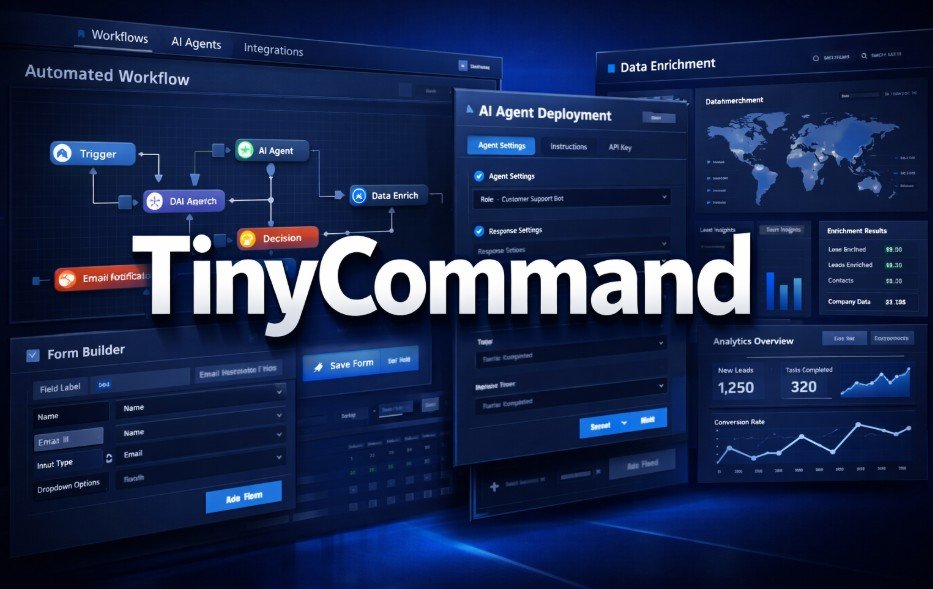
TinyCommand is a lifetime-deal platform on AppSumo that rolls form building, workflow automation, data enrichment, and AI agent deployment into a single dashboard. No coding required.
The core problem it solves is tool sprawl. You know the drill. Your form tool does not talk to your CRM. Your CRM does not sync with your email platform. And you need a separate automation layer like Zapier or Make just to hold everything together. That setup costs money, eats time, and breaks more often than it should.
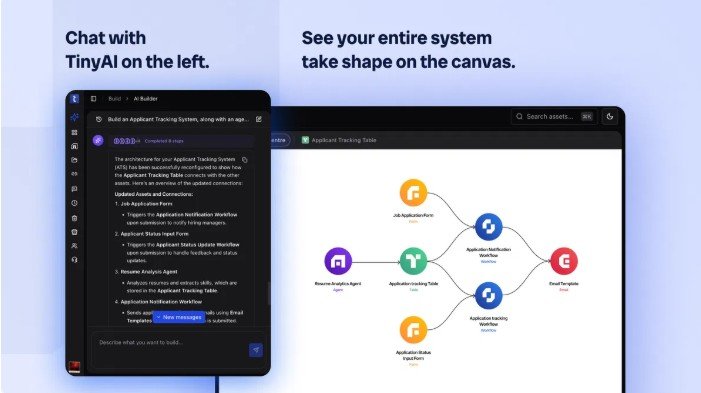
TinyCommand puts all of those pieces under one roof, with an AI layer called TinyAI that can build entire workflow systems from a plain-language description of what you want to happen.
Check the current price on AppSumo
How TinyAI Works
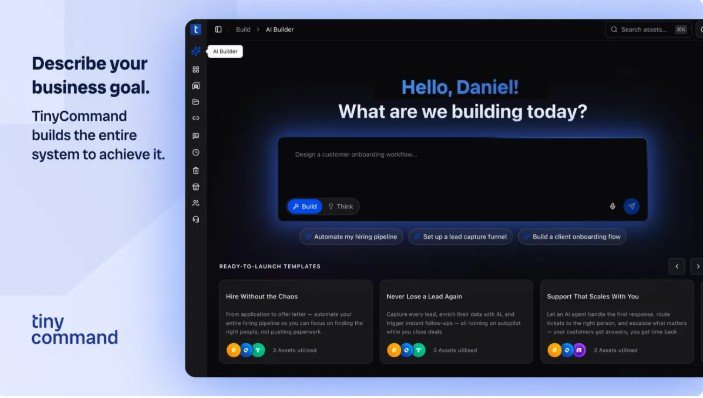
TinyAI is the feature that separates TinyCommand from a standard automation tool. You describe what you want in plain English. Something like: “When a new lead fills out my contact form, pull in their company data, send a personalized email, and ping my Slack channel.”
TinyAI then builds the workflow for you. It creates the form, sets up the automation steps, and configures the agent logic. You will still want to review and test everything it produces, but it cuts the setup time from hours to minutes.
One thing to watch for: Some users have reported that AI agents can enter loops, especially in follow-up sequences where the agent keeps triggering itself. This is not a platform-wide flaw, but it does mean you should test any agent-driven workflow before letting it run on its own. Set clear exit conditions and start with a small batch of contacts.
Key Features
Form Builder — TinyCommand includes a built-in form builder. Forms feed directly into your workflows without any third-party integration headaches.
Multi-Step Workflow Automation — Workflows support conditional logic, delays, and branching paths. You can send one email if a lead opens your first message and a different one if they do not. No code needed.
AI Agents — You can deploy AI agents for tasks like lead enrichment, data routing, and personalized outreach. These agents work within the boundaries you define.
Data Enrichment — The platform automatically pulls in additional information about your leads. For B2B outreach, knowing a prospect company’s size or industry before you reach out changes the game.
Ready-to-Launch Templates — Pre-built templates cover common use cases like lead capture, onboarding sequences, and follow-up campaigns. Customize them instead of starting from zero.
Native Integrations — TinyCommand connects with Airtable, Google Workspace, HubSpot, Stripe, WhatsApp, Slack, Gmail, Salesforce, and Trello. That is a solid list for most small business setups.
Pricing Tiers (Lifetime Access)
| Tier | Price | Best For |
|---|---|---|
| Tier 1 | $79 | Solo operators with basic automation needs |
| Tier 2 | Mid-range | Growing solopreneurs who need more capacity |
| Tier 3 | $349 (Recommended) | Small teams or multiple client workflows |
| Tier 4 | $749 | Agencies managing automation at scale |
All tiers include lifetime access with no recurring fees. You can upgrade between tiers while the deal is live and downgrade within 60 days of purchase. You must activate your license within 60 days. Set a reminder if you are not planning to use it right away.
Check the current price on AppSumo
Pros and Cons
What we like:
- One platform replaces forms, automation, enrichment, and AI agents
- TinyAI builds workflows from plain-language descriptions
- Multi-step logic with conditionals, delays, and branching
- Strong integration list for the most common small business tools
- Lifetime deal with a 60-day refund window
- Templates speed up setup for common use cases
What could be better:
- AI agents can loop in certain follow-up setups if exit conditions are not tight
- Feature limits per tier are not clearly documented in public-facing materials
- License must be activated within 60 days (easy to miss)
- Newer platform, so the long-term support track record is still developing
Who Should Buy TinyCommand?
TinyCommand makes the most sense if you are currently paying for multiple tools and want to bring everything into one place. It is also a strong pick if you want to experiment with AI agents for lead handling, but do not have a developer to build that out for you.
Who Should Skip It?
Pass on TinyCommand if you are already locked into a specific ecosystem like HubSpot and have no reason to move. Skip it if your needs are simple enough that a basic email sequence handles everything. And if you need enterprise-grade support and SLAs, a newer platform is probably not the right fit yet.
Final Thoughts
TinyCommand is a smart buy for solopreneurs and small business owners who are tired of paying for a stack of tools that barely work together. The TinyAI feature is genuinely useful, and the lifetime pricing through AppSumo makes the risk low, especially with the 60-day refund window.
Tier 3 at $349 is the sweet spot for most users who need real capacity. But starting at Tier 1 for $79, testing the platform, and upgrading if it fits your workflow is a perfectly reasonable approach.
Just do not forget to activate within 60 days.
Check the current price on AppSumo